Understand Your Router’s Security Settings – Without the Tech Jargon

Understand Your Router’s Security Settings – Without the Tech Jargon
When you connect to the internet at home, almost everything runs through your router — that small box that links your devices to the outside world. But your router isn’t just a gateway to the web; it’s also your first line of defense against unwanted visitors. That’s why it’s worth understanding its security settings — without needing to be a tech expert. Here’s a simple guide to what matters and how to keep your home network safe.
What Router Security Is Really About
Router security is all about controlling who can use your network and how data moves in and out of your home. When you first set it up, you choose a network name (SSID) and a password. That’s where your protection begins.
A strong password is like a sturdy lock on your front door. Use one that’s long, unique, and not reused from other accounts. Avoid names, birthdays, or easy patterns like “password123.” It may sound basic, but weak passwords are one of the most common causes of home network breaches.
Encryption – The Invisible Shield
When you see terms like WPA2 or WPA3 in your router’s settings, they refer to encryption — how your data is protected as it travels wirelessly. You don’t need to know the math behind it, but here’s what matters:
- WPA3 is the newest and most secure standard.
- WPA2 is still widely used and acceptable if your router doesn’t support WPA3.
- Avoid older options like WEP — they’re outdated and easy to crack.
In short: choose the newest encryption your router offers, and make sure your devices can use it.
Guest Networks – A Smart Way to Keep Things Separate
Most modern routers let you create a guest network — a separate Wi-Fi network for visitors. It allows guests to get online without giving them access to your personal files, printers, or smart home devices.
This is especially useful if you often have visitors or want to connect gadgets like smart speakers or security cameras that you don’t fully trust. Think of it as a “front porch” for your Wi-Fi — guests can come online, but they can’t step inside your digital house.
Læs også:
Updates – Your Router’s Health Check
Just like your phone or computer, your router gets updates from the manufacturer. These updates fix security flaws and improve performance. Many people forget to install them, leaving their network exposed.
Check your router’s menu for an automatic update option — and turn it on if available. If not, log in a couple of times a year to see if new firmware is available. It only takes a few minutes and can make a big difference.
Remote Access – Turn It Off If You Don’t Need It
Some routers offer “remote access,” which lets you log in to your router from outside your home. While convenient, it also opens a door for hackers to try the same. If you don’t have a specific reason to use it, it’s best to turn it off.
The same goes for other features you don’t use — like file sharing or open ports. The fewer open doors, the safer your network.
Placement and Physical Security
Where you place your router matters too. If your Wi-Fi signal reaches far beyond your home, it can make it easier for others to try connecting. Place your router in a central spot so it covers your home well but doesn’t broadcast too far outside.
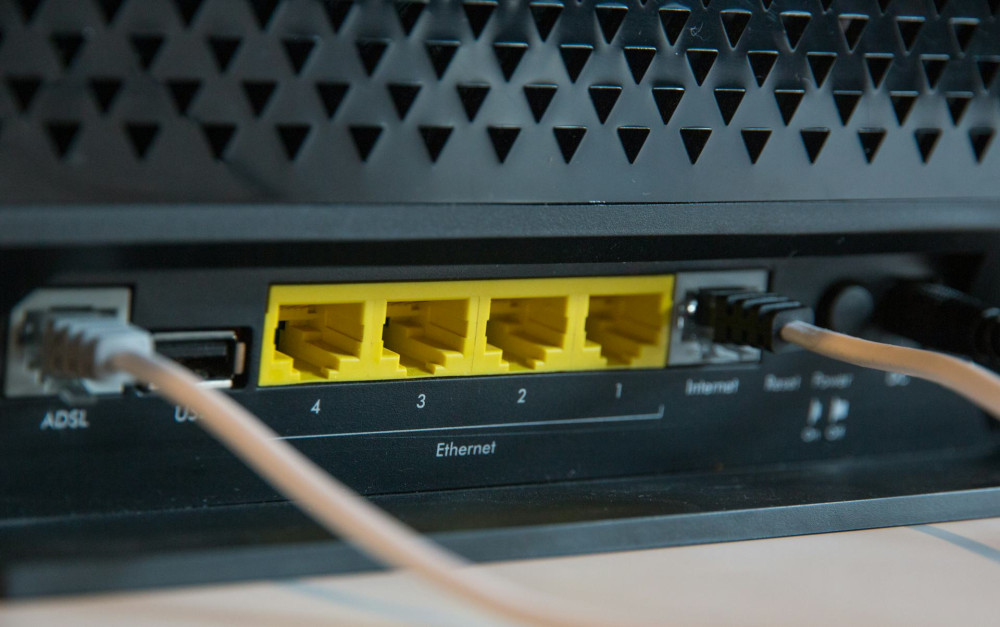
And remember, your router is a physical device. If you live in an apartment building or shared space, make sure no one can press the reset button or unplug it without your knowledge.
A Few Extra Steps for the Curious
If you’re comfortable exploring a bit more, consider:
- Changing the default username and password for your router’s admin page.
- Turning off WPS (Wi-Fi Protected Setup) if you don’t use it — it can be a weak point.
- Checking which devices are connected and removing any you don’t recognize.
These small steps don’t require deep technical knowledge but add an extra layer of protection.
Security Is About Habits, Not Just Settings
Router security isn’t something you need to think about every day, but it’s worth checking in on once in a while. Just like you lock your doors when you leave home, you should secure your network so strangers can’t get in.
With a few simple adjustments and a bit of awareness, you can make your home network much safer — no tech jargon required.
Læs også: